What Actually Happens When You Hide a Secret Inside a Photo
A plain-English walkthrough of image steganography done right: AES-256 encryption first, optional Shamir splitting across multiple photos, LSB embedding — and the honest list of things that can destroy hidden data.
Take a photo of your bookshelf. To every app, every cloud service, every person who ever sees it, it’s a photo of a bookshelf. But in its pixels, invisibly, it can carry your seed phrase, your password vault, a document — encrypted with the same standard governments use, recoverable only by you.
Here is that claim, made concrete. Both images below are real. One is an ordinary photo. The other carries a 12-word recovery phrase, AES-256-encrypted. They are the actual input and output of our command-line tool:
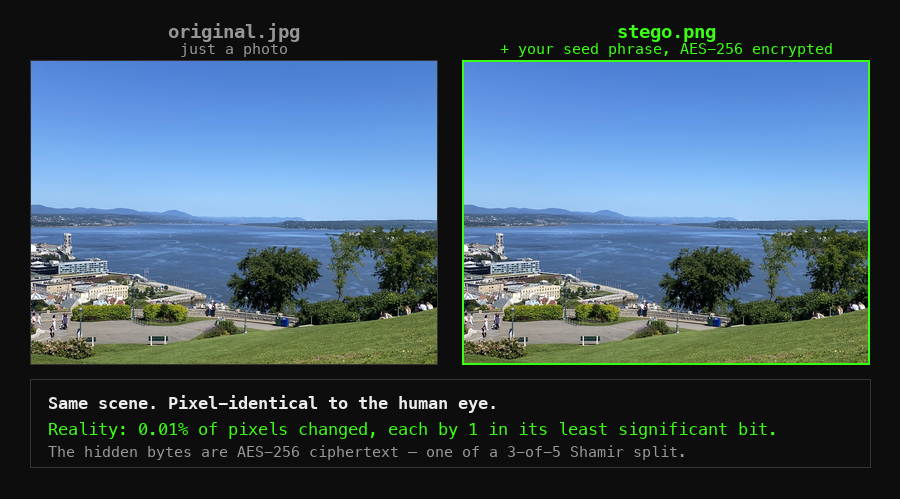
That’s steganography plus cryptography. This post walks through what actually happens to your secret, step by step, and — just as important — the honest list of ways hidden data can be destroyed if you use the technique carelessly.
Step 0: Why hiding alone is not enough
Classic steganography tools from the 2000s made a mistake that still haunts tutorials today: they hid plaintext. If anyone extracted the payload, they had the secret.
The correct order is encrypt first, hide second:
- Encryption protects the content — extracted bytes are useless ciphertext without your passphrase.
- Steganography protects the existence — nobody looks twice at a photo of a bookshelf.
These are independent layers. An attacker has to know the image carries data, extract it, and break AES-256. Each layer covers the other’s weakness: encryption alone announces “here is a secret worth attacking” (a vault.enc file is a target); a hidden but unencrypted payload is one extraction away from disclosure. Together, there’s nothing to see and nothing to read.
Step 1: Your secret becomes ciphertext (AES-256)
Before touching any image, StegoSafe encrypts your data with AES-256 in CBC mode:
- Your passphrase is run through PBKDF2-SHA256 with 600,000 iterations — deliberately slow key derivation, so brute-forcing passphrases costs an attacker centuries, not seconds.
- A random IV (initialization vector) is generated for every operation — encrypting the same secret twice produces completely different ciphertext.
- The output is indistinguishable from random noise. That property matters in the next step.
Step 2 (optional): The ciphertext splits across multiple images (Shamir)
For high-stakes secrets — a crypto seed phrase, a master password, estate documents — a single hiding place is a single point of failure. Lose the image, lose the secret. Someone finds the image, they have the whole ciphertext to attack.
Shamir Secret Sharing fixes both failure modes at once. You pick a threshold — StegoSafe’s command-line tool splits 3-of-5 by default, and the apps let you choose (2-of-3, 3-of-5, and so on):
- The ciphertext’s key is mathematically split into shares (polynomial interpolation over finite fields — the same construction used in enterprise key escrow), one embedded per image.
- Enough shares recover the secret. Meeting the threshold in one place is convenience; any single image lost is a non-event.
- Any 1 share alone reveals nothing. Not “less of the secret” — mathematically nothing. A share without its threshold is random data.
Practical shape of this: photos spread across your phone, a USB drive at a relative’s house, and cloud storage. A house fire, a stolen phone, or a nosy cloud provider each encounter fewer shares than the threshold — so each learns nothing.
Step 3: The bytes disappear into pixels (LSB)
Each pixel in an image stores color as numbers — for example red 183, green 201, blue 148. Change 183 to 182 and no human, and no casual software, can tell the difference.
LSB (Least Significant Bit) steganography writes your ciphertext into exactly those final bits, spread across the image. Because AES output looks like random noise, the modified bits look like ordinary sensor noise — there’s no plaintext structure sitting in the pixels.
Capacity is real but finite: roughly one bit per color channel per pixel. A normal 12-megapixel photo can comfortably carry documents’ worth of data; StegoSafe analyzes each cover image and tells you what fits.
Step 4: The photo lives its normal life
The output is a standard PNG — it opens in every viewer, uploads anywhere, sits in your camera roll looking exactly like what it is: a photo. The secret travels wherever the photo travels, and recovery needs three things only you control: the image(s), the passphrase, and — if you split — enough shares to meet your threshold.
The honest part: what can destroy hidden data
Every steganography vendor should publish this list. Most don’t.
| Action | Survives? | Why |
|---|---|---|
| Copying, moving, renaming the file | ✅ | Bytes untouched |
| Email attachment, file upload, USB, cloud sync | ✅ | Bytes untouched |
| Sending as a document/file in messaging apps | ✅ | Apps transmit files verbatim |
| Sending as an inline photo in apps that compress | ❌ | Recompression rewrites pixels — LSB data is gone |
| Screenshots of the image | ❌ | New pixels, no payload |
| Cropping, resizing, filters, “enhance” | ❌ | Pixel surgery destroys the embedding |
| Converting PNG → JPEG | ❌ | Lossy compression discards exactly the bits carrying data |
Two rules cover almost everything: keep it PNG, send it as a file. If a platform gives you a “send as document / original quality” option, that’s the one you want.
Stripping metadata is missing from that list on purpose. A pure metadata stripper rewrites the file’s header and leaves the pixels alone, so the payload survives it. What each stripping method on each platform actually removes is in How to Remove Metadata From Photos.
The per-app results are now published: Does WhatsApp or WeChat Destroy Hidden Data in Photos? tests the normal, compressed “send photo” path across fourteen platforms — and shows what a robust watermark does differently, which is the one way to get through that path without the send-as-a-file ritual.
Where this actually matters
Abstract security is boring; threat models make it concrete. In coming posts we’ll walk through real cases:
- Seed phrase backup — why photographing your recovery words is the worst common practice, and how threshold splitting across ordinary photos beats both paper and metal plates on the failure modes that actually happen (fire, theft, discovery).
- Sensitive files in hostile environments — journalists and travelers crossing borders where a
secrets.encfile invites questions a family photo album doesn’t. - Private photos that stay private — protecting intimate or personal images from cloud-leak exposure without trusting any provider.
- Digital inheritance — leaving your family access to what matters without leaving it lying around while you’re alive.
Every one of them runs on the same four steps you just read.
StegoSafe implements this entire pipeline — AES-256-GCM with PBKDF2, optional Shamir k-of-n splitting, LSB embedding to PNG — locally on your device. No cloud, no accounts, works fully offline. The CLI core is open source on GitHub.
Frequently asked questions
Is steganography the same as encryption?
Can someone tell a photo has hidden data in it?
Will sending the image through WhatsApp or Instagram destroy the hidden data?
What happens if I lose one of the images after splitting my secret?
Does StegoSafe upload my images or secrets anywhere?
Keep reading
- Steganography vs Cryptography: What Is the Difference?Cryptography makes a message unreadable. Steganography makes it unnoticed. They solve different problems, fail in different ways, and work best together — here is the difference in plain English, with the cases where each one is the wrong tool.
- How to Hide Text in an Image: Two Ways, and When Each One BreaksTwo ways to hide text in an image: encrypt it into the pixels (works offline, wiped by chat-app compression) or a watermark that survives WhatsApp. Try it free.
- Does WhatsApp or WeChat Destroy Hidden Data in Photos? We Tested Every Major Chat AppWeChat is the internet's byword for brutal photo recompression — and WaxSeal's mark still opens after it, along with WhatsApp, Telegram, Signal, iMessage, Instagram, Weibo and more. Only the recipient's approved device, behind their own Face ID or Touch ID, can open it; keys never leave the Secure Enclave.
StegoSafe is a private recovery vault for seed phrases, recovery codes and private keys, encrypted inside ordinary photos. Protect them with Face ID or Touch ID, or split one secret across several photos so no single copy is enough. iPhone, iPad and Mac — one purchase, no account, no cloud.
Buy StegoSafe — $49.99